Log Aggregators
There are many aggregators that will accept Syslog and OTLP (Otel Logging), some of which are open source, free for self-hosting and work well.
Some aggregators can directly consume remote logs, while others need an ingestion/transformation engine like Datadog's Vector, FluentD etc. These also allow logs to be pulled in, so events in HomeAssistant can be seen in the context of what's happening in HAOS Apps, docker containers, network switches, firewalls etc.
OpenObserve
This is one of the easiest to use, since it can accept OTLP natively so doesn't need any other components, though it can work with Vector and others, and now needs Vector for Syslog. It also has a Splunk type UI to show the schema and automatically populate known values for each field to make quick filtering easier.
To configure the preferred OTLP logging, a few overrides are needed.
Use the built-in configuration generator in OpenObserve, as below:
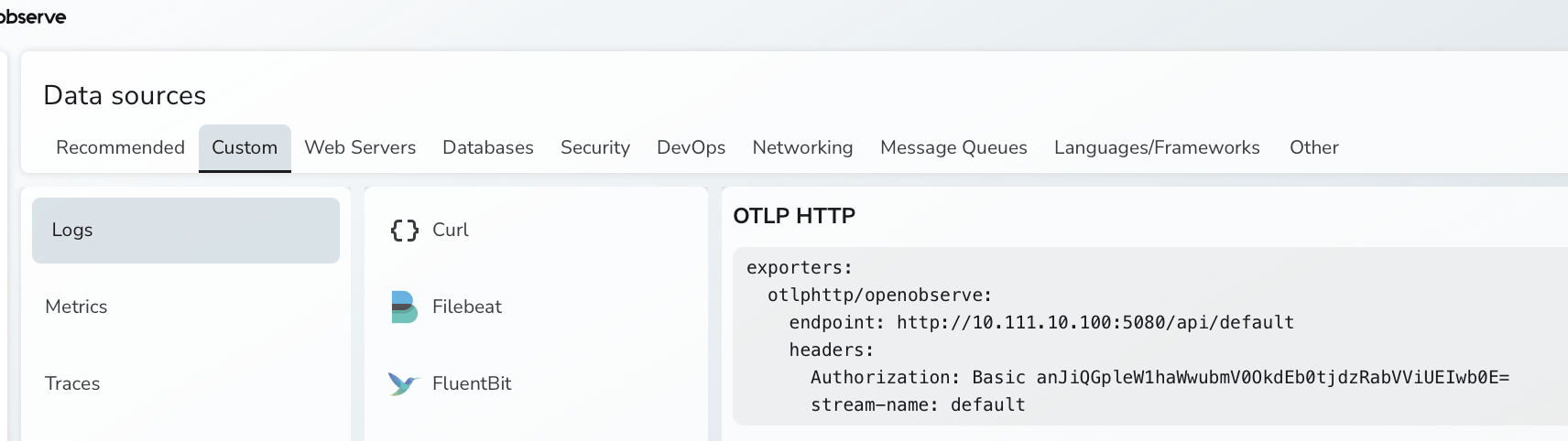
OpenObserve has a non-default port, a non-default API end-point and needs additional headers.
Remote Logger has options to support all of these, as in this example:
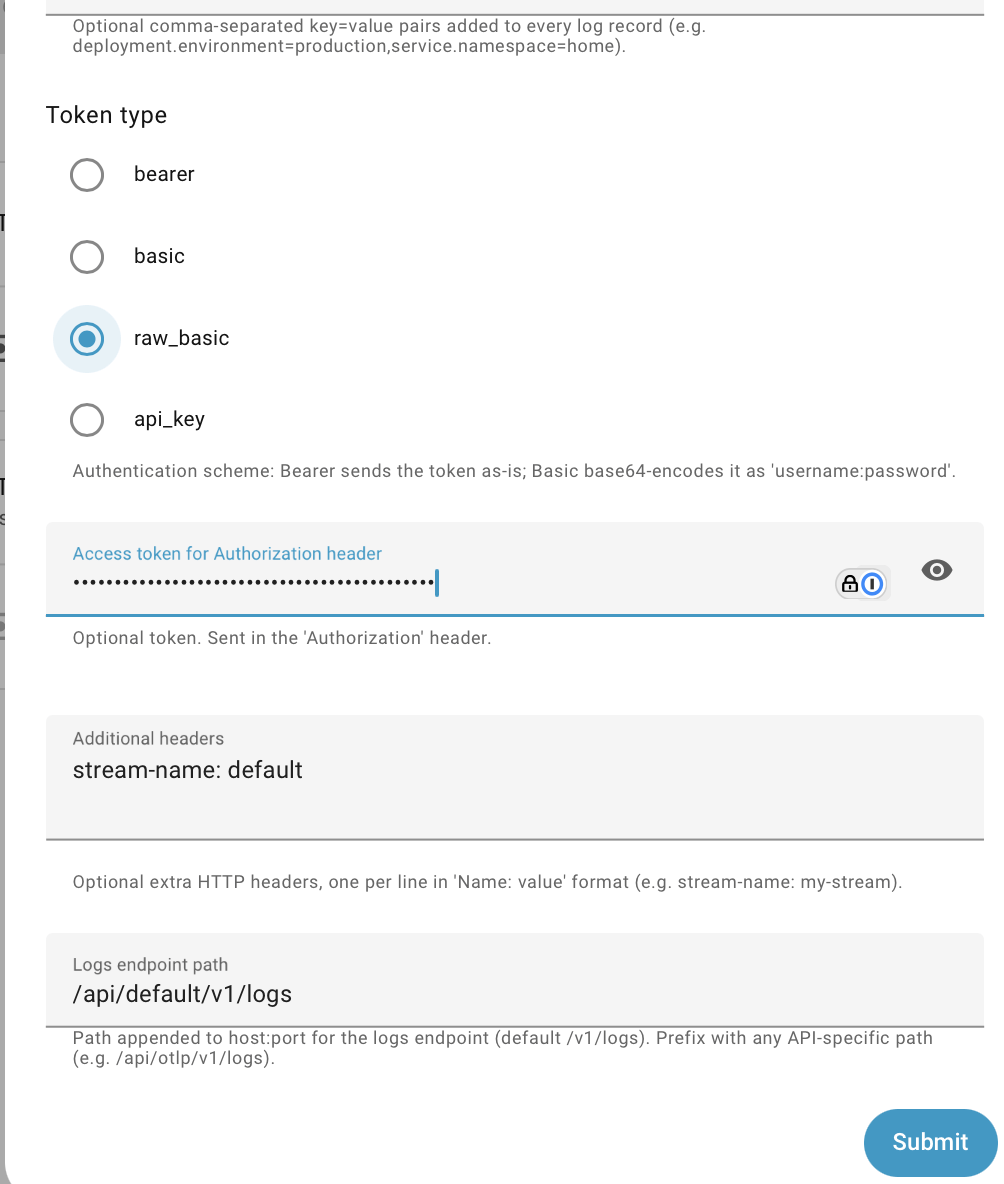
Note that Raw Basic has been selected rather than Basic since the token provided by OpenObserve has already been encoded.
GreptimeDB
Uses Vector for ingestion, and no transforms are needed when using OTLP.